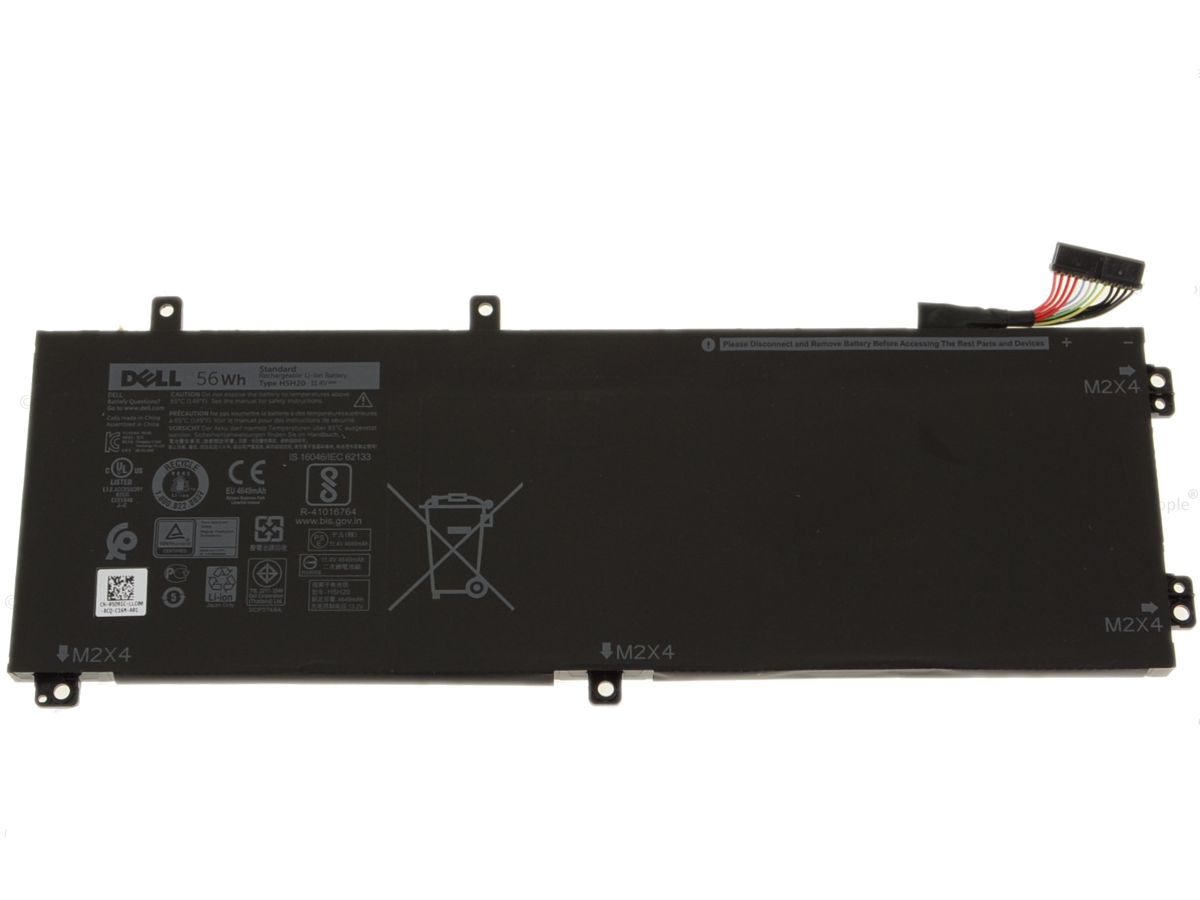
Restore your Dell laptop to its original untethered performance with the high-capacity H5H20 56Wh Replacement Battery. Specifically engineered for the Dell Precision 5520 and XPS 9560 series, this premium battery is the ideal solution for replacing a worn-out or underperforming power source. Say goodbye to the constant search for a power outlet and embrace the freedom of extended productivity and mobility. Built with high-grade materials and advanced safety features, this battery ensures reliable, long-lasting power, allowing you to work, create, and connect with confidence, wherever you are.
Key Features:
- Exact OEM Specifications: Designed to meet and exceed the original manufacturer’s standards for a perfect fit and flawless performance.
- High-Quality Lithium-Ion Cells: Constructed with Grade A cells that provide a longer lifespan, more charge cycles, and consistent power output.
- Substantial Capacity: Features a 56Wh capacity at 11.4V, delivering ample power for demanding applications and extended usage away from a power source.
- Advanced Safety Protections: Integrated circuit protection guards against overcharging, over-discharging, over-current, and short-circuiting, ensuring the safety of both the user and the laptop.
- Certified and Tested: CE and RoHS certified for safety, quality, and environmental standards, guaranteeing a reliable and secure power solution.
- Direct Replacement: A perfect substitute for original Dell part numbers 6GTPY and GPM03, ensuring a seamless and straightforward installation process.
Uninterrupted Performance and Reliability
Empower your workflow with a battery that keeps pace with your demanding schedule. The 56Wh capacity provides significant runtime, enabling you to confidently attend meetings, work on projects, or enjoy entertainment without the anxiety of a low battery warning. This replacement battery revitalizes your Dell Precision or XPS laptop, restoring the portability and convenience you depend on. It is the perfect investment for professionals, students, and creators who require a dependable mobile workstation.
Seamless Integration and Installation
This battery is precision-engineered to be a direct-fit replacement for the original Dell H5H20 battery. The dimensions, connectors, and mounting points are identical to the OEM part, making the installation process simple and hassle-free. You can quickly and easily restore your laptop’s power autonomy without the need for special tools or technical expertise.
Technical Specifications and Compatibility
To ensure you are purchasing the correct component for your device, please verify your laptop model and original battery part number against the lists below.
Full List of Compatible Laptop Models:
- Dell Precision 5520 Series
- Dell XPS 15 9560 Series
Full List of Compatible Part Numbers:
Care and Usage Instructions:
For optimal performance and longevity, it is recommended to calibrate your new battery after installation. To do this, charge the battery to 100%, then continue charging for at least another 2 hours. Afterward, use your laptop until it powers down due to low battery. Finally, recharge it back to 100% without interruption. This process helps to synchronize the power management software with the new battery’s capacity.



 Pan India Delivery.
 100% Tested.


 Easy Replacement Within Warranty.




Reviews
Clear filtersThere are no reviews yet.